
✨ Sharper Tools for Better Lessons
This month’s release delivers a set of long-awaited improvements for lesson authors, such as a richer preview experience in Studio, greater flexibility in how prompts appear to learners, and consistent custom styling from the first step of a lesson through to the last.
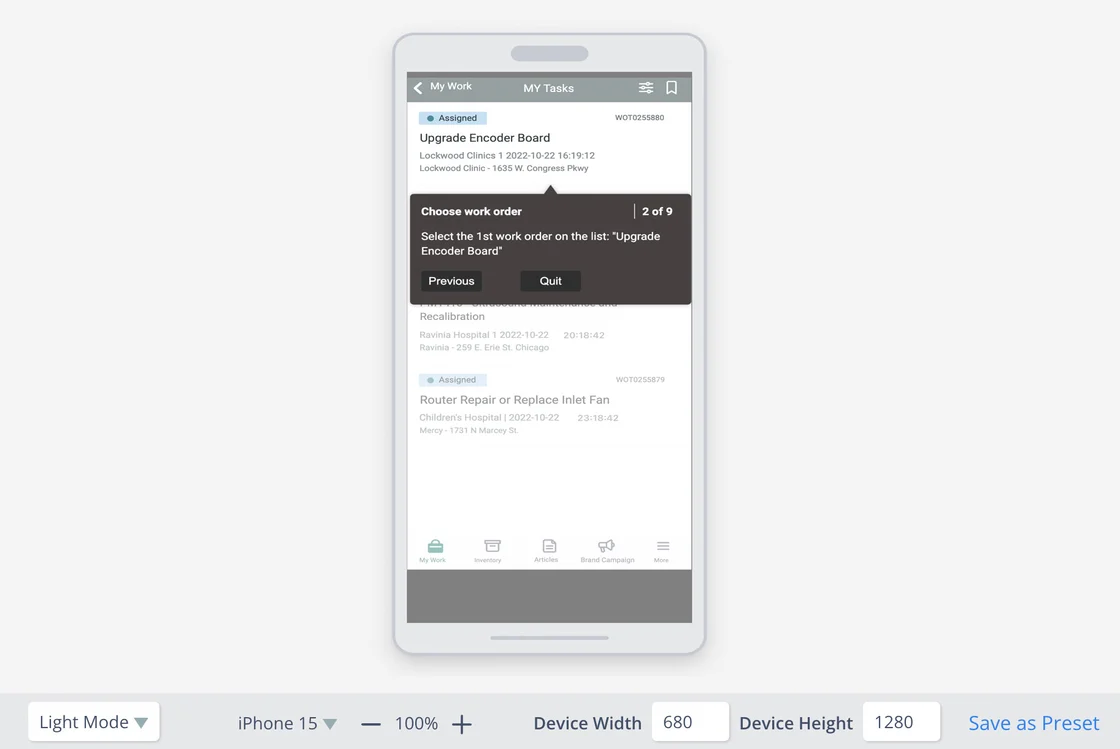
🖥️ Lesson Preview: See Your Work Before Publishing
Lesson authors can now preview lessons and their modes directly inside Studio, without pushing to a device. Choose from device presets, adjust width and height, zoom in or out, and toggle between Light and Dark modes to see exactly how your content will appear to learners.
You can also save your preferred device dimensions as a preset for easier reuse. The result is faster authoring, fewer surprises after publishing, and a tighter feedback loop while you’re building.
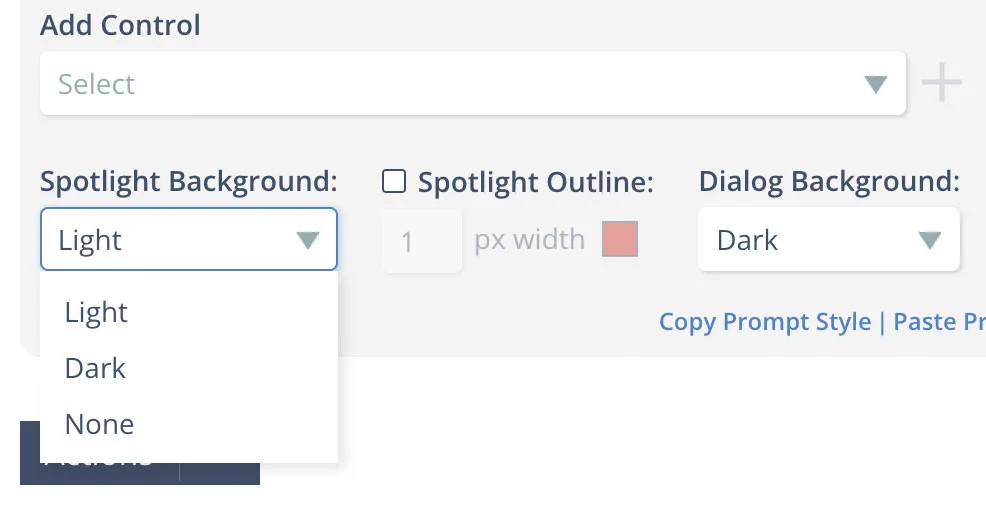
🎯 Spotlight Background: Now With a “None” Option
Up until now, every prompt in a lesson came with either a darkened or lightened background behind the spotlighted control. That was the right default for most cases, but it wasn’t always what learners needed.
Selecting “None” as the Spotlight Background removes the lightbox effect entirely and leaves the underlying screen untouched. It’s a small option with a meaningful impact for lessons where the surrounding context matters as much as the spotlighted control itself.
🎨 Custom Styling: Concluding Prompts
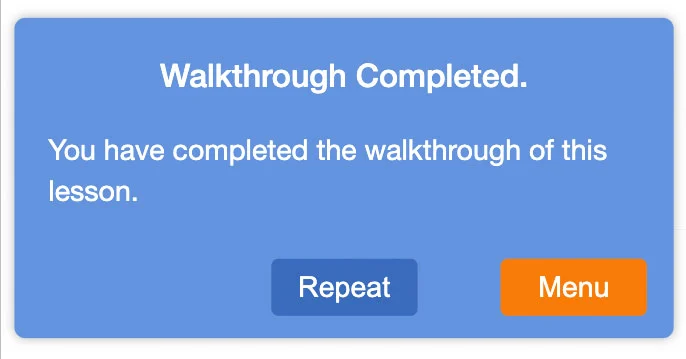
Custom prompt styling now carries through to the concluding prompt at the end of a lesson: ie, the “Walkthrough Completed” dialog. Previously, the concluding prompt was always rendered with the default styling, leaving the final screen feeling disconnected from the rest of the lesson.
Backgrounds, button colors, and typography all carry through to the very last screen your learner sees, giving learners a polished, consistent experience.
👀 Stay Tuned
We’re continuing to expand Automation Center — the event-driven automation capability inside Skyllful Intelligence. Today, we've expanded the Automation Center to trigger automations based on platform events such as a user being added or a lesson being completed. In the coming weeks, we'll be extending it to also react to behavioral and temporal patterns, including situations such as the user being behind schedule for training or not logging in for X days. That opens up a new category of automations: nudges that go out at exactly the right moment, escalations that fire only when a learner actually needs help, and reporting that surfaces risks before they become problems.
Automation Center and Skyllful Intelligence are available as a paid add-on. If you’d like to learn more, reach out to your Skyllful contact.