Overview
Job roles help tailor learning programs to specific positions within your organization. This article walks you through how to add a new job role directly from a learning program’s settings.
About Learner Job Roles
Learner Job Roles allow different Courses of Lessons to be assigned to Learners within a single Assignment.
How to Add a Job Role
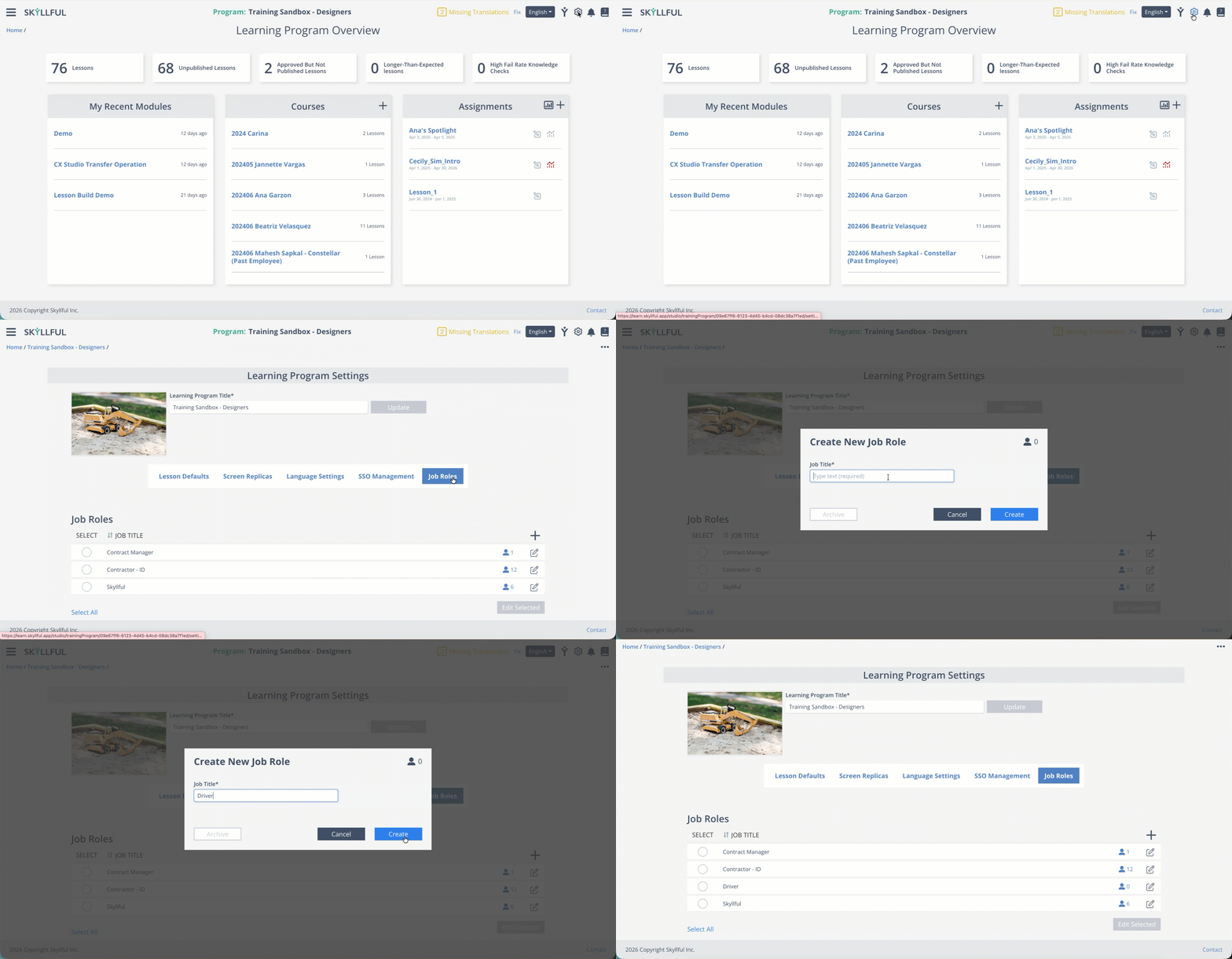
| 1 | Navigate to the learning program where you want to add a job role. |
| 2 | Click the gear icon in the top-right column to open learning program settings. |
| 3 | Select the Job Role panel from the settings menu. |
| 4 | Click the plus (+) icon, then enter your desired job title. |
| 5 | Click Create to save and add the new job role to the learning program. |
Demo